Dyson Sphere Program by developer
Youthcat
and publisher
Gamera
Game -Shanghai Game Mirror Intelligent Technology Co. Ltd.—
PC
(Steam) Preview written by
Susan
N. with a copy provided by the publisher.
Estimated reading time: 11 minutes
Dyson Sphere Program is a game that I always fail to say when
mentioning it to others because I call it 'Dyson Sphere Project.' To
create the sphere is a task beyond comparison and it is quite a
behemoth to complete. Icarus, the robot you play, crash lands on a
procedurally generated planet. The sole objective Icarus has is
creating the Dyson Sphere, hence the name. The best part is, that the
end objective is not truly an end because players can build multiple
Dyson Spheres throughout the universe.
This title has lots of elements to love, even though it is an early
access title. However, it does have a couple of minor grievances that
I will cover later on, but I highly recommend it for players that
enjoy factory-building games like Factorio, Satisfactory, and
Astroneer.
Gameplay
As I mentioned, we are the MIGHTY ICARUS, who needs fuel to function.
Unfortunately, in the beginning, Icarus is like a vegetarian,
surviving off of wood and leaves. It isn't until you find coal that
players are able to consume fuel more efficiently. You will have
plenty of fuel sources as you begin your automation journey towards
building the Dyson Sphere. And each resource will require tons of
materials to be crafted into parts and machines. With any game of
this genre, an important beginning step is automating buildings and
objects that are frequently used like conveyor belts and tesla towers
for power distribution. It is the key to survival. The alternative is
restarting the game, which can be quite tedious, to say the least.
Throughout my playthrough, I restarted on a new planet twice. Even
then, I overhauled and relocated whole sections of my factory because
the area no longer served its original purpose. It also didn't help
that Icarus landed in a terrible location that was far from
much-needed resources. At first, it was perfect because of its
proximity to coal, iron, copper, and stone. However, once I
researched the ability to use oil, I found that my starting location
was miles away from any of it. Thus my need for relocation. As they
say, best-laid plans of mice and men!
So, for players that enjoy the casual strategy of mass producing
items to achieve an end goal, Dyson Sphere Program is right up there
with other awesome factory builders like Satisfactory, Factorio, and
Astroneer. This title is truly a testament to a nearly perfect game
even though it has some minor issues that I will cover later.
Tutorial
In every factory simulation game, I always find the tutorial to be
lackluster. In Dyson Sphere, players will receive notifications when
they've researched a new machine or ability. This is the effective
'tutorial' of the game and I find it to be a bit reactive since there
are a few machines that are not clearly explained. Even after reading
through the descriptions, I found myself scratching my head because
the purpose of some materials isn't readily apparent.
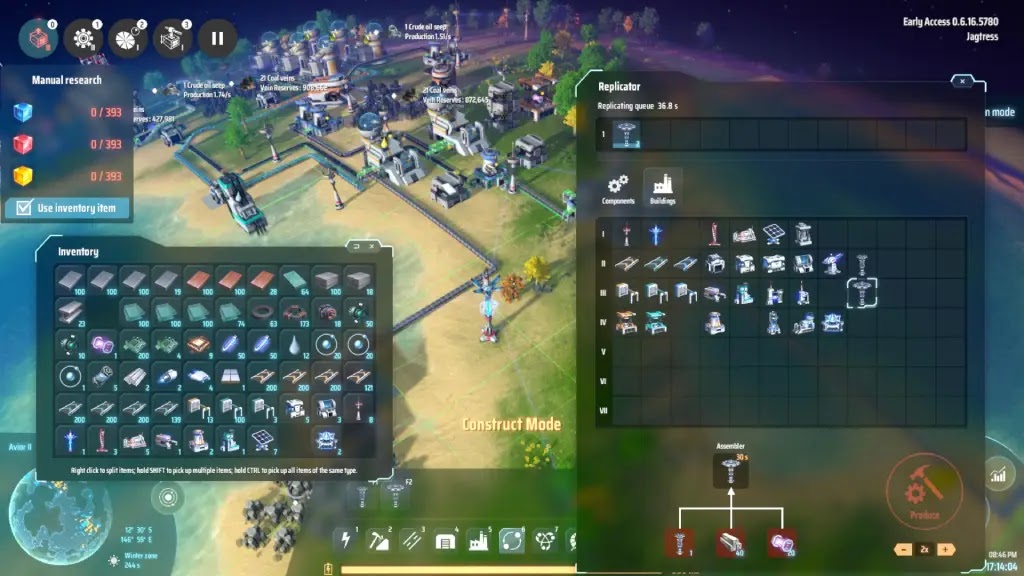
For example, a big issue I had was holding onto the research cubes in
my inventory. The building which creates the cubes is the same
building as the one that researches the technology. What this means
is players need a stack of buildings to make the research cubes and a
separate stack that receives all of them to research the technology.
In essence, players will need all five cube types being produced in
five separate stacks and a sixth stack that executes the research. To
do this, players have to click the research button on the right side
of the building menu instead of the cubes on the left! Knowing this
saves players a lot of time! I'm happy that a viewer told me what I
did wrong before I researched the yellow cubes.
On top of that, I found that the tutorial doesn't push the player
forward in any way. There isn't a popup that reminds players of their
task, nor does it give recommendations for the next step. If Dyson
Sphere had a small bit of direction, that'd be awesome. There were
too many moments where I asked myself, "Now what do I do?"
or "Why do I need those?" This certainly doesn't change my
love for the game, but a small nudge would be a tremendous help.
Space
Travel
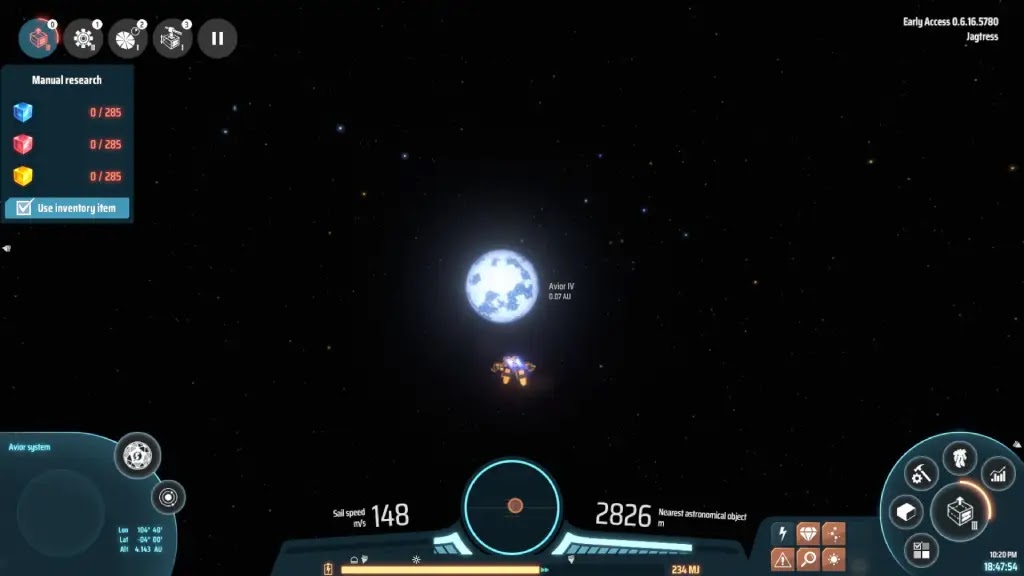
Since players get to be a mech, one of the coolest things about Dyson
Sphere Program is the ability to fly both on the planet and to other
stars in the universe. Yes, that's right. WE GET TO FLY. Clearly,
this is a selling point for me!
With that said, I have some issues with space travel for a couple of
reasons. Firstly, I wish the controls were more intuitive.
Double-tapping the spacebar allows your mech to fly. And to push past
the planet's atmosphere, players have to hold forwards to
counterbalance the gravitational force. To accelerate, players use
the shift key, and to decelerate they use the 'S' key. Why not use
the 'W' key to accelerate? As for landing on a planet, players have
to use the alt key. The acceleration key is the strangest decision in
my opinion and I'd love to rebind that key because I don't like it
this way.
Secondly, space travel brought one other irritating realization which
is that players cannot set a waypoint to a destination. And if you've
already scouted a planet with high resource numbers, players need to
remember where it is located. This isn't a problem in the earlier
stages of the game but after going to different solar systems, it can
become problematic.
Despite these small issues, I really love the space-traveling
mechanic of Dyson Sphere Program. It is relaxing and visually
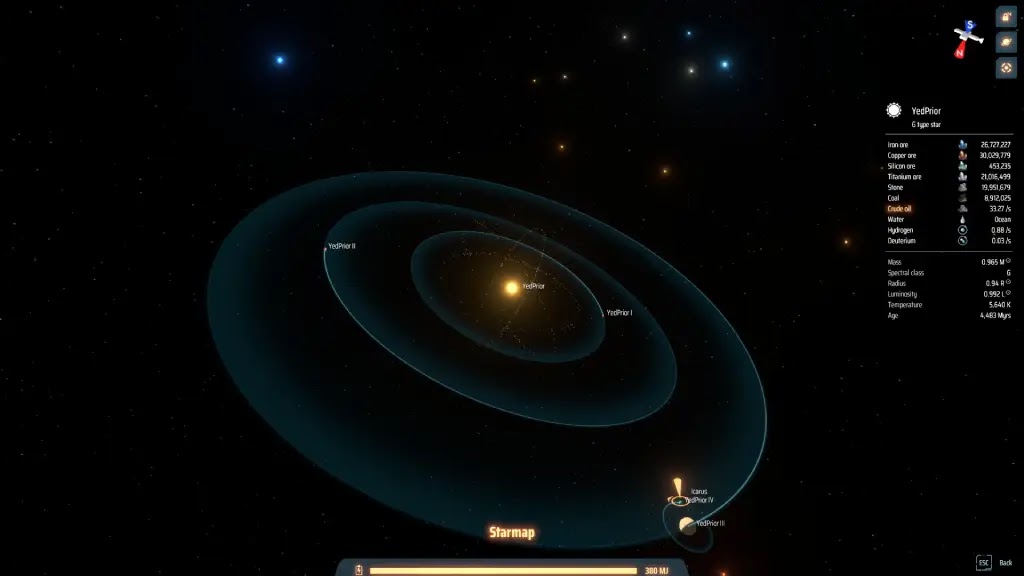
stunning. Besides, the universe is a vast open area that is waiting
to be explored and automated into factory brilliance!
Graphics
and UI
Dyson Sphere's graphics are absolutely breathtaking and it's all in
the small details. We begin the game flying towards our first planet,
which is spectacular as we see the vastness of space, the depth of
color in the stars and the sun, and then when landing, the beautiful
oceans and trees appear. Our first planet is Earth-like with oceans,
greenery, and rock formations. Wandering around this planet we find
mineral deposits that will be used to build our epic factory.
Along with the graphics comes the interesting UI of the game. It's
laid out really well overall and it isn't until later that certain
elements become annoying. As an example, players will often open
their replicators to produce a component or building. This is fine
but to use the object requires players to open our inventory or open
the menu which it is located. While the game requires efficiency,
there are elements of gameplay that aren't so. That is one of them.
On the right side of the screen, players are able to view their
planets' production statistics, power usage, and fuel consumption
easily. The statistics menu shows players if they are producing too
much or too little of any object. Because of this, players are able
to strategize their next task towards their end goal. The statistics
menu will also display the planets that have power, which is useful
for locating where you have production.
As far as the downsides of the UI go, they are few but noticeable
issues. Firstly, the text size cannot be changed in the options. I
played this game on a television set and struggled to read the
tutorial popups. Having an option to adjust text size would be
fantastic. Secondly, when flying to another planet or star, there is
no ability to have a planetary waypoint or marker. In the early game,
this isn't an issue but in the late game, I can foresee this becoming
a problem.
Tech
Tree
As with any factory game, we have access to a large tech tree which
allows us to do many things. For one, it unlocks different buildings
and useful upgrades. In it, players can upgrade Icarus to be faster,
stronger, and more efficient. The upgrades for the mech are paramount
at the beginning of the game because having more power and inventory
space is handy for late game building.
In the building upgrade tab, players are able to choose the order of
research they require to complete the Dyson Sphere. It is laid out
fairly well but can be confusing and dangerous if players aren't
paying attention. I found that some technology requires several
completed kinds of research to unlock. If players aren't careful,
this can result in a restart!
One of my main issues early on with the research of technology isn't
properly explained. In other games like Satisfactory, players keep
the necessary materials in their inventory until they take it to the
M.A.M or the HUB to research and upgrade. In Factorio, players use a
separate building to put their research materials into. But, in Dyson
Sphere Program, the research is a different button on the same
building used to make the appropriate colored cubes. Since I didn't
know any better, I held onto the research cubes to accomplish my
task. It wasn't until a stream viewer told me about the second button
that I was able to work on other tasks. So, while using only one
building type is convenient for research, I would rather another
building.
Dyson
Sphere Pros and Cons
Pros:
A unique take on the factory simulation genre.
Amazing
graphics. Even a resource like water being transported on conveyor
belts is animated.
Extremely clean
gameplay.
FLYING and WARP
SPEED!
An engaging
strategy that immerses players for hours on end.
By default,
the game displays the materials in every machine and storage box.
This is unlike Factorio where players need to manually press a key.
It is also unlike Satisfactory where players use conveyors on the
output to see the contents.
Cons:
There is no cloud saving at the moment.
The sun is
bright when flying towards it. I'd love to mute the brightness of
it.
Playing in
Windowed mode is pointless. The text doesn't scale properly, half
the menus are hidden, and it just doesn't look good.
No hotkey
customization (which is important because the middle mouse button
breaks more easily on certain mice).
No text scaling
or colorblind options.
Inability to
see how many research cubes are needed for technology without
enabling the "use inventory" option.
The tutorial
is sometimes unclear as noted in the tutorial section above.
Final
Thoughts
There are several reasons that Dyson Sphere Program is worthwhile to
pick up. It is an incredibly polished game for an early access title
and it's an excellent time sink if you want to crush an entire night
into oblivion. (I won't judge. I have played Dyson until 6am without
thinking about it. In fact, so did my SO. We did this at the same
time. True story.) It is visually stunning from flying through space
right down to the small details of transporting the products in
cubes.
Dyson Sphere Program has minor grievances like not being able to
rebind hotkeys, not being able to mute the sun's brightness, and not
being able to set a waypoint to a planet. However, this title has
nothing wrong with it. I've not seen a single game crash or stutter
and there are virtually no graphics issues. The only exception to
that is the one time I accidentally built a structure on top of my
mech and the screen glitched out for a short time.
Dyson Sphere Program is a factory builder on a mega scale, unlike
others in its genre. It requires players to think, adapt, and learn
efficient ways of automating resources to achieve the end goal, the
creation of the Dyson Sphere. And for an early access title, this
game nails virtually every aspect it touches. Aside from some small
details and issues, I cannot say anything bad about the game.
Dyson Sphere is a must-buy and If I had to give it a score it would
be 9 out of 10. Besides, who wouldn't want to fly to other planets in
a mech?
Score: N/A